Invite-only Beta

Projection tracing,
fast and simple.

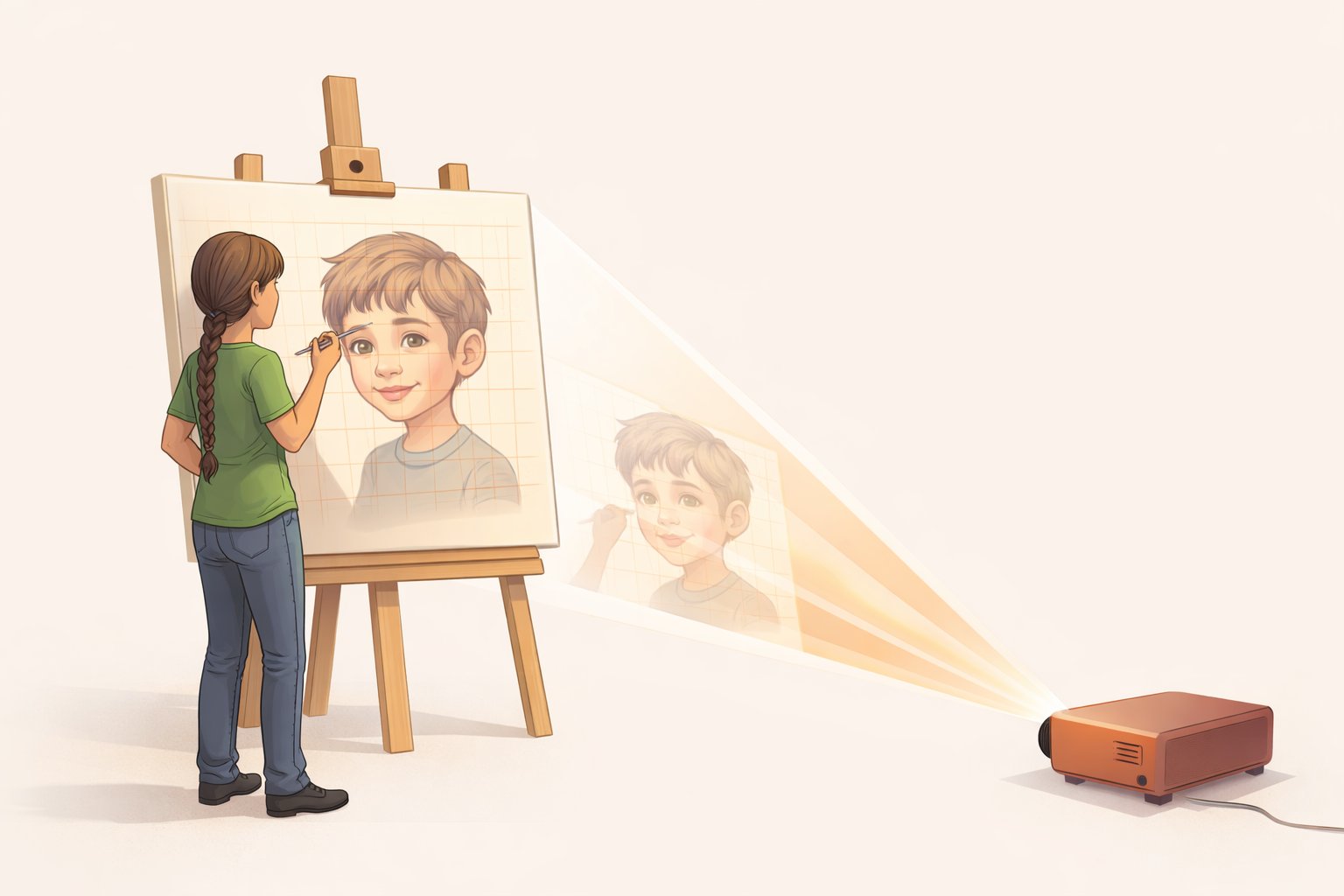
Move your projector to the side — out of your line of sight — and trace without casting a shadow on your work. ProTrace corrects the distortion automatically. Photograph your canvas, upload your reference image, and get a corrected file ready to project in under a minute.

Beta Access Beta access by invitation

From upload to projection
in three steps

Step 01 Calibrate

Map your projector

Place the projector to the side — well out of your way so you don't block the light while tracing. ProTrace generates a calibration grid, you project it onto your canvas and photograph it, and the app learns exactly how your projector sees the space.

Position projector at any angle, however steep Send the grid wirelessly to any phone, tablet, or laptop Auto-detects the four corner markers Drag handles to fine-tune placement
Step 02 Adjust

Prepare your image

Upload your reference and fine-tune it before it ever hits the canvas. Rotate, crop freely, dial in brightness and contrast — or switch to an edge-outline view that turns any photo into a clean sketch to trace over.

Rotate and crop with aspect-ratio lock Brightness & contrast fine-tuning Edge outline mode — photos become sketches Download at exact print scale as a reference
Step 03 Project

Trace with confidence

Hit Generate and ProTrace computes the corrected image. Send it wirelessly to your projector device in one tap — it appears automatically, distortion-free, filling your canvas exactly as calibrated.

Color, grayscale, edges, or overlay outputs Wireless live send — projector device updates instantly Fine-tune scale directly on the projector device Download for USB/SD transfer

Built for the way artists actually work

Project from the side — no shadow

Projecting straight-on puts you in your own light. Move the projector to a sharp angle, out of your way entirely, and ProTrace pre-warps the image so it still lands perfectly proportioned on the canvas.

Works at extreme angles

ProTrace handles severe projector angles that would completely defeat a conventional setup — the distortion correction is precise at any angle, however steep, not just mild tilts.

Under a minute, start to trace

Calibrate once per projector setup. After that, load a new reference image, hit Generate, and you're ready to trace in under 60 seconds — every session.

Flexible two-device workflow

Use your phone to calibrate and process, while a second device drives the projector — connected however your setup allows, whether that's HDMI, AirPlay, or anything else. Tap Send and the corrected image appears on the projector device automatically, with no file transfers between your devices. Switch between color, grayscale, and edge views and they update live.

Multiple projectors

Save profiles for each projector and canvas setup. Switch between them instantly — your calibration data stays in the browser.

HEIC support

Shoot your calibration photo on your iPhone and upload directly — no conversion needed. ProTrace handles HEIC natively.

Powerful image prep built in

Rotate and freely crop your reference, tune brightness and contrast, or switch to an edge-outline mode that turns any photo into a crisp sketch — all before the correction is applied. Download the adjusted image at exact canvas scale for a physical reference copy.

Four ways to project

Color, grayscale, edge sketch, and color-with-edges overlay — choose what reads best for your medium. Project live fullscreen or download for USB/SD card transfer.

Common questions

Any projector works — full HD, HD, or older XGA/SVGA models. You enter your projector's resolution during setup, and ProTrace builds the correction around it. There's also a custom resolution option for anything non-standard.
Very. ProTrace uses precision perspective correction — the same math behind professional photogrammetry and camera calibration software. Accuracy depends mainly on how precisely you place the calibration handles, and the app gives you fine-grained drag control to get it right.
Only if you move the projector. Once calibrated, your setup is saved in the browser under that projector profile. You can process as many reference images as you want without recalibrating — just skip straight to Step 2.
JPEG, PNG, and HEIC (iPhone photos) for both the calibration photo and the reference image. The app converts everything internally so you never need to pre-convert your files.
No. Images are processed in memory on the server and returned immediately — nothing is written to disk or retained. Calibration geometry (the corner point data) is saved only in your own browser's local storage.
Yes — ProTrace is designed to be used on mobile. The most common setup is a phone running ProTrace for calibration and processing, with a separate device connected to the projector. iOS Safari and Android Chrome are both supported, with touch-friendly pinch-to-zoom, swipe navigation, and full touch dragging on all calibration handles.
At the start of a session, ProTrace creates a private link for your projector device. Open that link once on any phone, tablet, or laptop that's driving your projector — the calibration grid appears there automatically. After you process your reference image, tap Send and the corrected image updates on the projector device in seconds. You can switch between the color, grayscale, edge, and overlay views and each change pushes live. The link is shared by QR code, AirDrop, or copy-paste — whichever is fastest for your setup.
Not strictly — but two devices is the recommended setup and makes the workflow much smoother. The reason is calibration: to map your projector, you need to project the grid onto the canvas and photograph it at the same time. That's easiest with your phone running ProTrace (taking the photo and doing the processing) while a second device displays the grid through the projector. ProTrace can then send the corrected image wirelessly to that second device in one tap. If you only have one device, you can still use ProTrace — you'd just need to manually transfer the calibration grid and corrected image to the projector via USB drive or SD card each time.
ProTrace sends it wirelessly over the internet — no file transfer or cables between your devices. Your processing device (phone) sends the corrected image directly to the projector device, which updates automatically. The projector device itself then gets the image to the projector — usually via HDMI or a display adapter, though some setups support wireless connections like AirPlay or Miracast depending on the projector. If your projector has a media card slot, you can also download the corrected file and transfer it via USB or SD card instead.
ProTrace is currently in a private, invite-only beta. If you received a beta invitation, use the link and password provided. Wider access will open in a future release.

Ready to try it?

Invite-only beta — if you have access, your canvas is waiting.

Open ProTrace